
Calls for Technology
Find open Navy requests and respond to them
A Call for Technology is an open request from a Navy command asking industry to share solutions on a specific topic. Answering one is the most direct way to get your information in front of the team that wants it.
Click Calls for Technology in the top menu. This page is public — you can read it without signing in, but you need an account to respond.
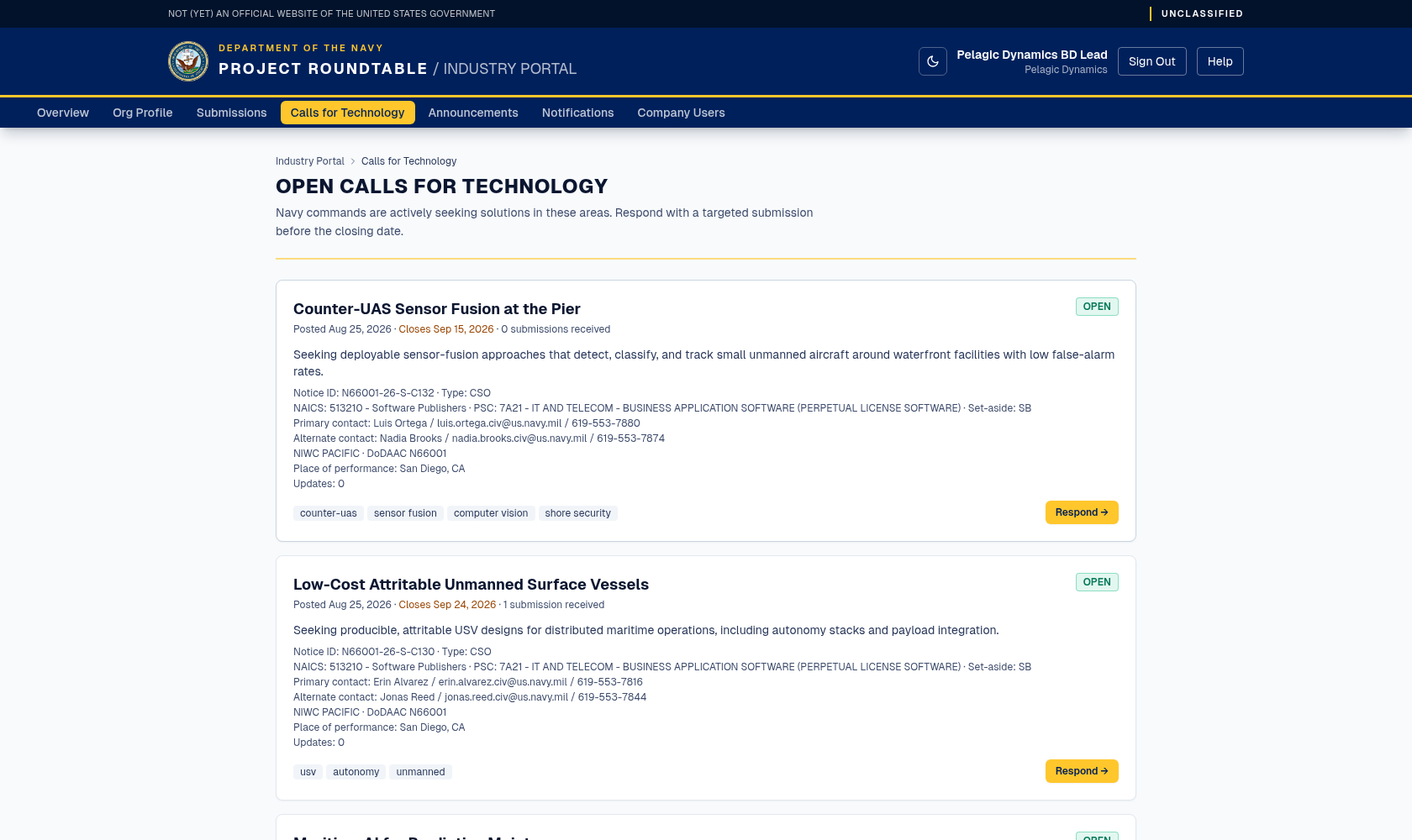
Open Calls for Technology with their closing dates. Respond → starts a submission with the call already selected.
What each call shows
| On screen | Meaning |
|---|---|
| Title | The topic the Navy is asking about. |
| Posted | The date the call was opened. |
| Closes | The last date responses are accepted, or Open-ended if no deadline was set. |
| Responses / submission count | How many submissions have been sent against this call so far. |
| Description | What the Navy is looking for. Read all of it before responding. |
| Technology tags | The technology areas the call covers. |
| Solicitation details | When the Navy filled them in: the notice ID, solicitation type, NAICS code, product/service code (PSC), set-aside code, and points of contact — use these to cross-reference the formal solicitation. |
| Respond → | Opens the submission form with this call already selected. |
If there are no open calls, the page reads "No open calls right now" and suggests checking the announcements and coming back later. New calls appear as Navy commands identify needs, and you are notified when one is opened if your notification settings allow it.
Responding to a call
The submission form opens with Responding to Call for Technology already set to that call. Check that it names the right call.
The full field-by-field walkthrough is in Sending a submission.
What success looks like
You land on your Submissions list and the new entry shows the status SUBMITTED together with re: the call title, confirming the link to the call. The call's response count includes it.
Things worth knowing
- Closed calls cannot be answered. If a call closes before you submit, send a general submission instead and reference the topic in your summary.
- You can respond to the same call more than once if you genuinely have separate things to offer — but one focused response is better than three thin ones.
- Answer the question asked. A generic company overview attached to a specific call is the most common wasted response.
- A call is not a solicitation. It does not create a contract, and responding does not commit either side to anything.