Sending a submission
Fill in the submission form and send capability information to the Navy
A "submission" is how you send information to the Navy: a capability overview, a white paper, briefing material, or a response to an open Call for Technology. It can include one attached document.
Read this first
Never send proposals, pricing, or anything else tied to a competitive solicitation, and never send classified information. See What you may and may not send.
Opening the form
Any of these gets you there:
- click Submissions in the top menu, then the New Submission button;
- click New Submission at the top of the Overview page;
- click Respond → on a Call for Technology — this pre-selects the call for you, which is the best way to answer one.
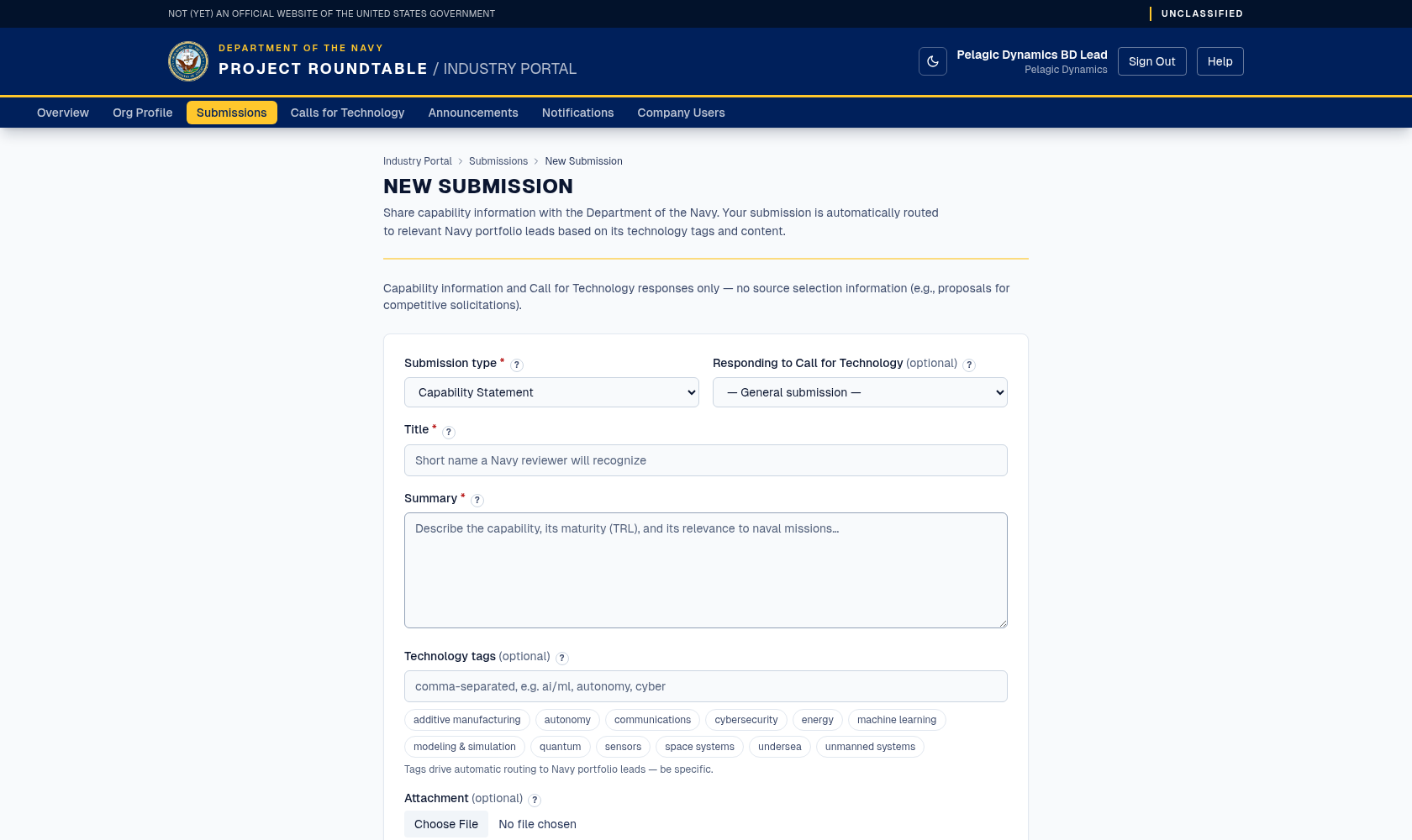
The empty New Submission form, with the source-selection warning shown above the fields.
Filling in the form
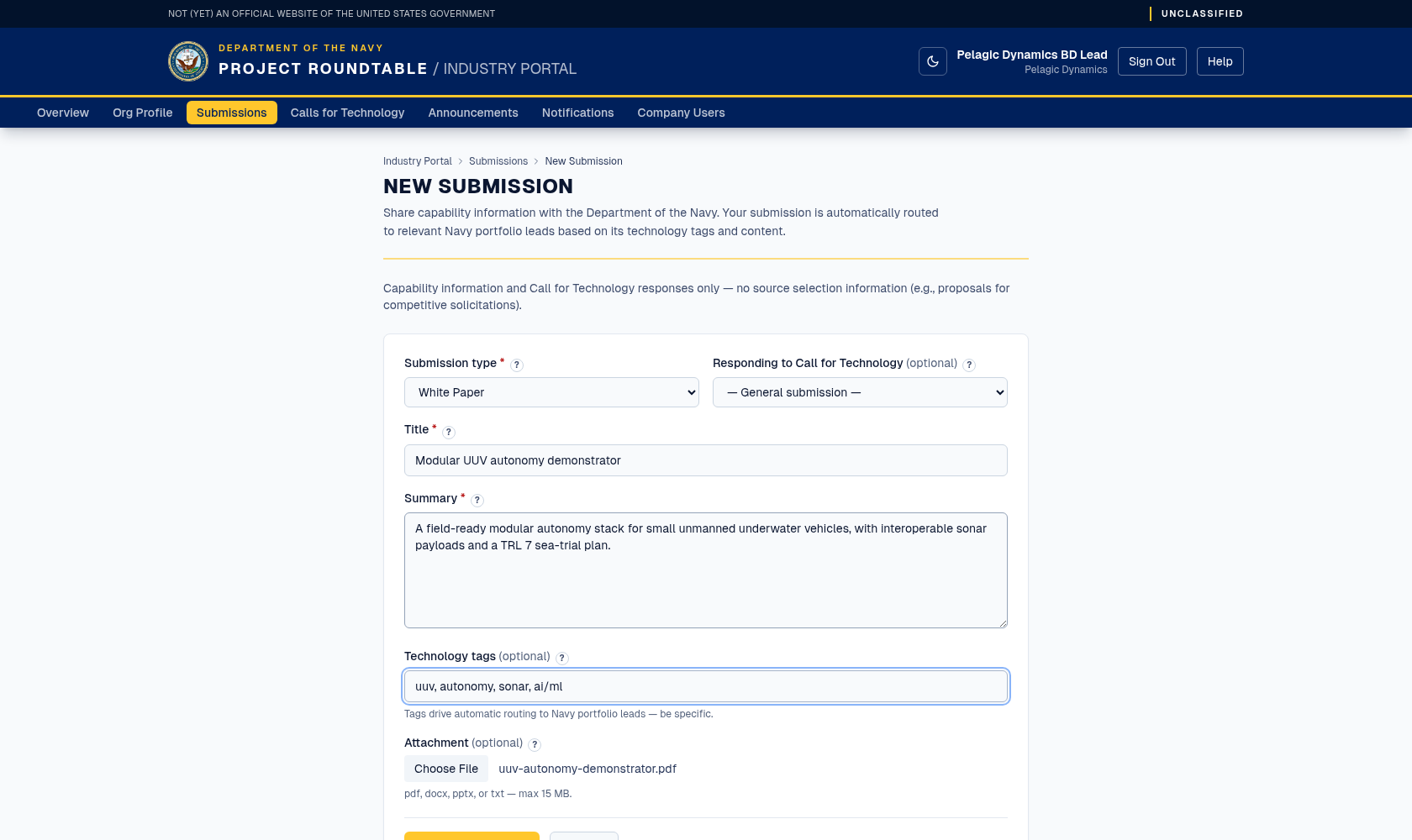
The same form completed: a white paper with a specific title, a stand-alone summary, comma-separated technology tags, and one PDF attached.
Submission type (required) — pick the one that describes what you are sending:
| Type | Use it for |
|---|---|
| Capability Statement | An overview of what your organization can do. Good first submission. |
| White Paper | A specific technical concept, approach, or research result. |
| Pitch Material | Briefing slides or a short pitch deck. |
| Event Summary | A write-up following a meeting, demo, or conference. |
| Profile Update | Material that updates the Navy's understanding of your capabilities. |
Responding to Call for Technology (optional) — leave it on General submission unless you are answering a published call, in which case choose the call by title. If you arrived via Respond →, this is already filled in; check that it names the call you intended.
Title (required) — a short, specific headline between 3 and 255 characters. Low-cost UUV navigation without GPS is far more useful than Capability Statement.
Summary (required) — between 10 and 5,000 characters describing what you are offering: the problem you address, your approach, how mature it is, and any results. Write it so it stands alone — a reader may see only this summary. If you attach a document, summarise it here rather than writing "see attached".
Technology tags (optional) — comma-separated keywords for this specific submission, for example ai/ml, autonomy, cyber. Click preset tag chips to add or remove common tags; free text still works. These are used in addition to your organization's tags to route the submission, so be specific about this topic.
Attachment (optional) — click the file button and pick one file.
- Allowed formats: PDF (
.pdf), Word (.docx), PowerPoint (.pptx), plain text (.txt). - Maximum size: 15 MB.
- The file is stored privately. Navy reviewers can open it; other organizations cannot see it.
Click Submit to the Navy. While it works, the button reads Submitting…. Cancel discards the form without sending anything.
What success looks like
You are taken to your Submissions list, with the new submission at the top showing the status SUBMITTED. That means it has been received and is waiting to be matched to the right Navy team. Nothing further is required from you.
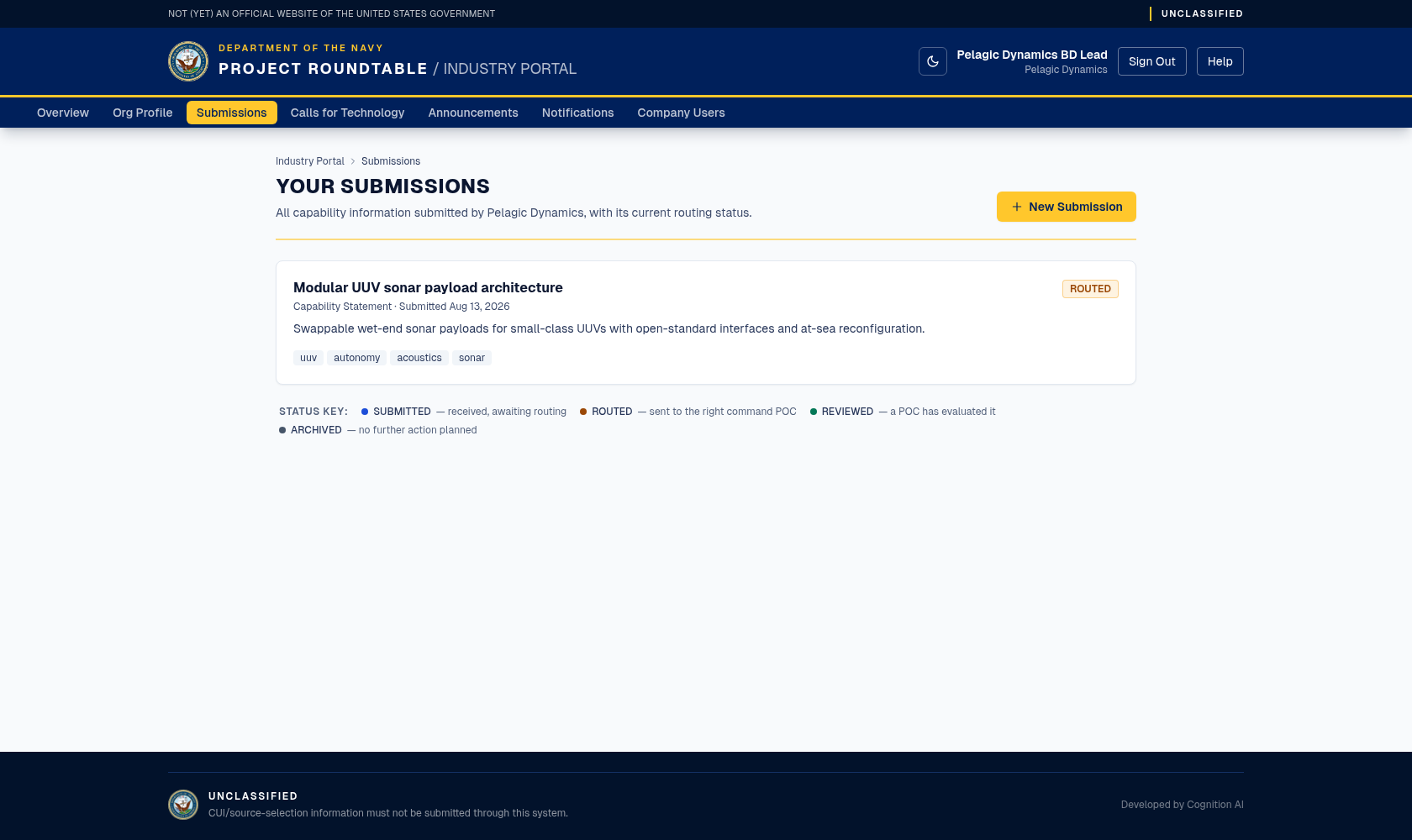
Your Submissions list, with the newest record at the top. This one was captured a little later in its life, so its badge already reads ROUTED rather than the SUBMITTED you see immediately after sending.
Behind the scenes the system compares your tags and text to the Navy's technology portfolios and notifies the relevant experts. When that has happened the status changes to ROUTED.
If something goes wrong
| Message | Meaning and fix |
|---|---|
| "Unsupported file type. Allowed: pdf, docx, pptx, txt." | Save your document as one of those four formats. Note that older .doc and .ppt files are not accepted. |
| "File exceeds the 15 MB limit." | Compress the file or remove large images. If you cannot get under the limit, submit the summary without an attachment and mention the document. |
| A message asking you to check your inputs | A required field is missing or too short: type, title (3+ characters), and summary (10+ characters). |
| The page returns you to sign-in | Your session expired. Sign in again and refill the form — text is not kept. |
If you are not sure whether it went through, check the Submissions list before sending again. Duplicates make routing harder.
Good practice
- One topic per submission. Two unrelated capabilities in one submission route poorly; send two.
- Answer calls specifically. A response to an open call goes to the team that asked for it.
- Be honest about maturity. Say whether something is a concept, a prototype, or in service — it is used to decide the right kind of follow-up, not to disqualify you.
- No response is not a rejection. Navy teams reach out only when there is a fit for current work.