
Managing your company's users
Promote and demote organization administrators from the Company Users page
Each industry account has one of two roles inside its organization:
| Role | Shown as | What it can do |
|---|---|---|
INDUSTRY_ADMIN | Organization administrator | Everything below, plus edit the organization profile and manage other users' roles on this page. |
INDUSTRY_USER | Organization user | Send and track submissions, read calls and announcements, and manage their own notifications — but not edit the organization profile or other users. |
The person who registered your organization starts as an organization administrator. Everyone else starts as an organization user.
The Company Users page
Only organization administrators see Company Users in the portal menu. It lists every account in your organization with name, email, industry role, and the date the account was created.
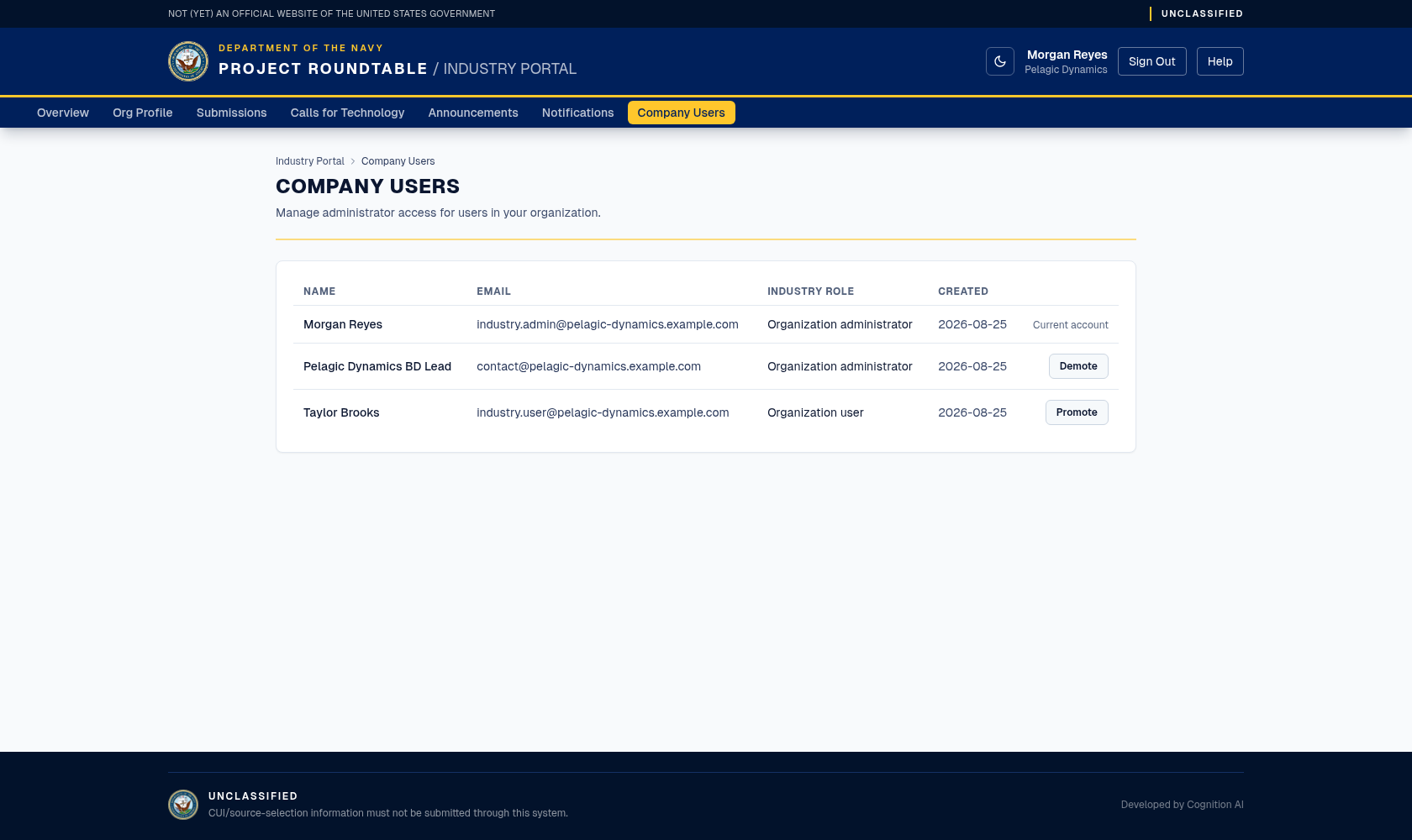
The Company Users list. Each row has a Promote or Demote button; your own row shows "Current account" instead.
Promoting or demoting someone
The change takes effect on the person's next page load — they do not need to sign out and back in.
Rules the system enforces
| Rule | Why |
|---|---|
| You cannot change your own role. Your row shows "Current account" with no button. | Prevents accidentally locking yourself out of administration. |
| The last administrator cannot be demoted. | An organization always needs at least one person who can manage the profile and users. |
If either rule is hit, the page shows an error message instead of applying the change.
If something goes wrong
- You do not see Company Users in the menu — your account is an organization user. Ask one of your organization's administrators to promote you.
- "Unable to update this user's role." — reload the page and try again; if it keeps failing, the change may be blocked by one of the rules above.
- A colleague is missing from the list — the list only shows accounts registered under your organization. If they registered separately, contact the program office to have the accounts consolidated.