Your organization profile
Keep your organization's details and technology tags up to date
Your profile is what Navy staff read when they come across your organization. Keeping it current — especially the technology tags — is the single most useful thing you can do in this system.
Click Org Profile in the top menu (or View / edit profile → on the Overview page).
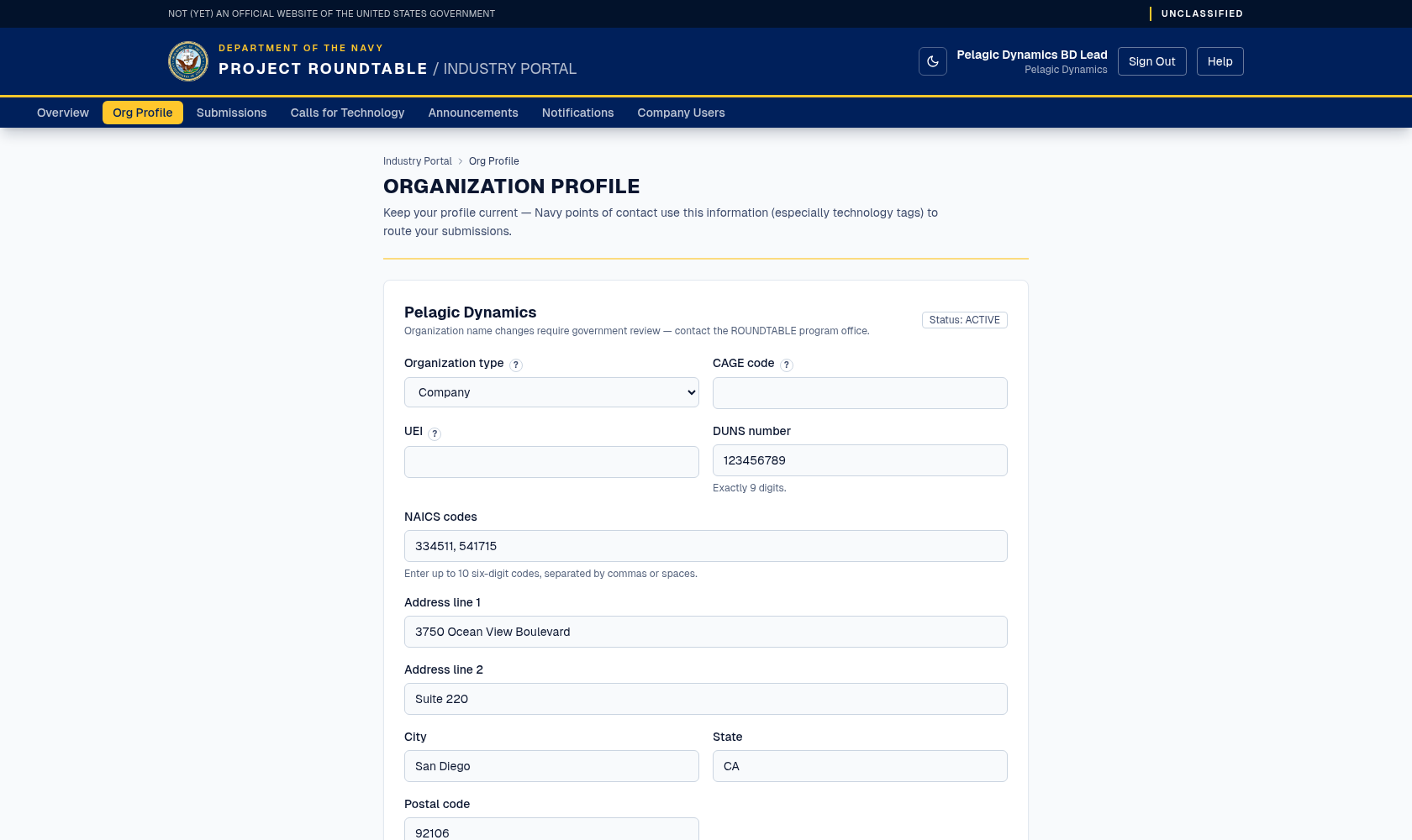
The organization profile form. Keeping the technology tags accurate is what gets your submissions in front of the right Navy team.
What you can change
Everything below can be edited at any time by an organization administrator — ordinary organization users see the profile but cannot save changes (see Managing your company's users). Your organization name is shown but cannot be edited here — changing it needs government review, so contact the ROUNDTABLE program office if it is wrong.
https://.ai/ml, autonomy, cyber. Click preset tag chips to add or remove common tags; free text still works. Capital letters and extra spaces are tidied up automatically.Then click Save Profile. While saving, the button reads Saving…. When it is done, a short confirmation appears: "Profile saved." That is all — there is no separate publish step.
Getting your technology tags right
Tags are how the system decides which Navy experts should see your submissions. They are matched against the technology areas the Navy has defined for each portfolio.
Do:
- use the words a Navy engineer would use (
autonomy,undersea,rf,cyber,ai/ml), - list each distinct area separately:
autonomy, undersea, sensors, - keep each tag to one or two words,
- include three to eight tags.
Avoid:
- marketing phrases —
next-generation warfighter enablementmatches nothing, - one very broad tag such as
technology, - long sentences in the tag field,
- listing areas you cannot actually support.
Writing a useful description
Answer three questions in plain language: what does your organization do, what have you actually built or delivered, and what is distinctive about it. Avoid jargon and abbreviations you have not spelled out. Do not include anything proprietary or export-controlled — see What you may and may not send.
The status shown on your profile
Government reviewers set your organization's status; you cannot change it. NEW simply means nobody has reviewed the profile yet — it is not a problem. See the glossary for all five values.
If something goes wrong
- If the save button appears to do nothing, look for red text near a field — a value may be too long (the description is capped at 2,000 characters), or a NAICS code may not be six digits.
- If you cannot save at all, your account may be an ordinary organization user — only organization administrators can edit the profile. Ask an administrator to promote you.
- If you are sent back to the sign-in page, your session expired. Sign in again and re-enter your changes.
- If the organization name is wrong, contact the program office; it cannot be changed from this form.