Commands and portfolios
Browse the command hierarchy and the technology portfolios used for routing
Click Commands & Portfolios in the top menu. This page is reference information: it shows how the Navy side of the pilot is organised and how submissions find their way to the right people. Everyone with government access can read it; changing it is an administration function.
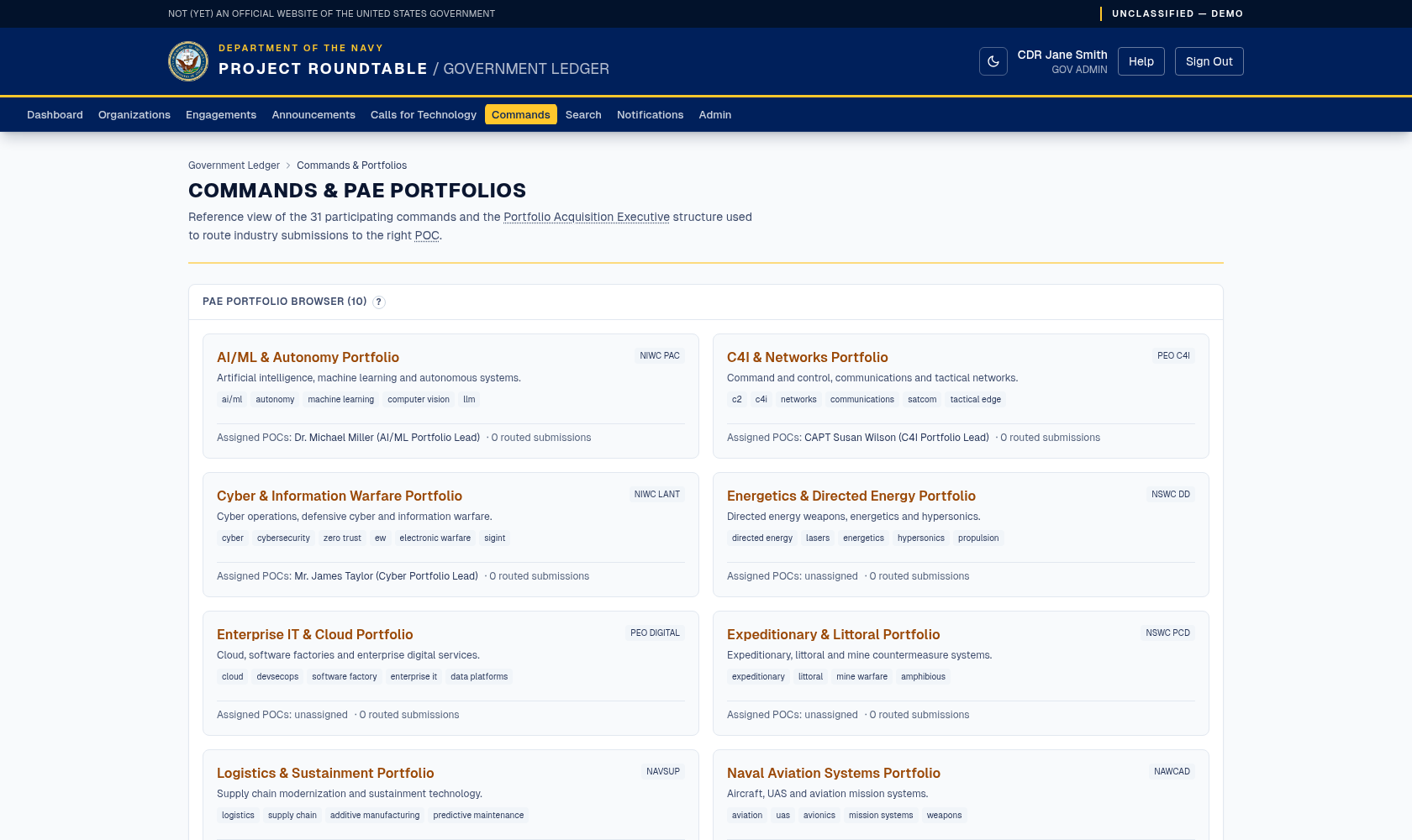
The reference view of participating commands and the portfolio structure used to route submissions to the right point of contact.
Portfolios (the PAE browser)
A portfolio is a grouping of related technology areas with Navy experts assigned to it. For each portfolio you can see:
- its technology tags — the keywords it covers,
- the interest profiles assigned to it — the people or teams who should hear about matching submissions,
- how many submissions have been routed to it.
This is the mechanism behind matching: when an industry organization sends a submission, its tags and text are compared to these portfolios, and the assigned experts are notified.
A portfolio with no interest profiles is a dead end — submissions match it and nobody is notified. A portfolio with zero routed submissions either covers an area industry is not offering, or has tags that do not match the words industry actually uses. Both are worth raising with your administrator.
The command hierarchy
For each command you can see its name, echelon (its level in the Navy structure), its reporting parent, its location, its mission, and how many engagements and portfolios are associated with it.
The hierarchy shows how commands report to each other, but it does not widen anyone's access: a Command Lead is scoped to their own command only, and does not inherit the commands beneath it. Seeing a subordinate command listed here does not mean you can administer it.
Using this page
- Before logging an engagement, check which command it really belongs to.
- Before opening a Call for Technology, check the tags used by the relevant portfolios so your call reaches the right industry organizations.
- If submissions in your area are not reaching you, compare your portfolio's tags with the words industry uses on submissions, and ask an administrator to align them.