
Exporting data
Download organizations, submissions, engagements, and the engagement calendar
Exports let you take ledger data out of the system for reporting or offline analysis. They are restricted to enterprise administrator roles — Program Admin and System Admin. If you have another role and need a report, ask an administrator for it.
The easiest way to export is the Admin → Export page, which lists every download with a button — see Data export.
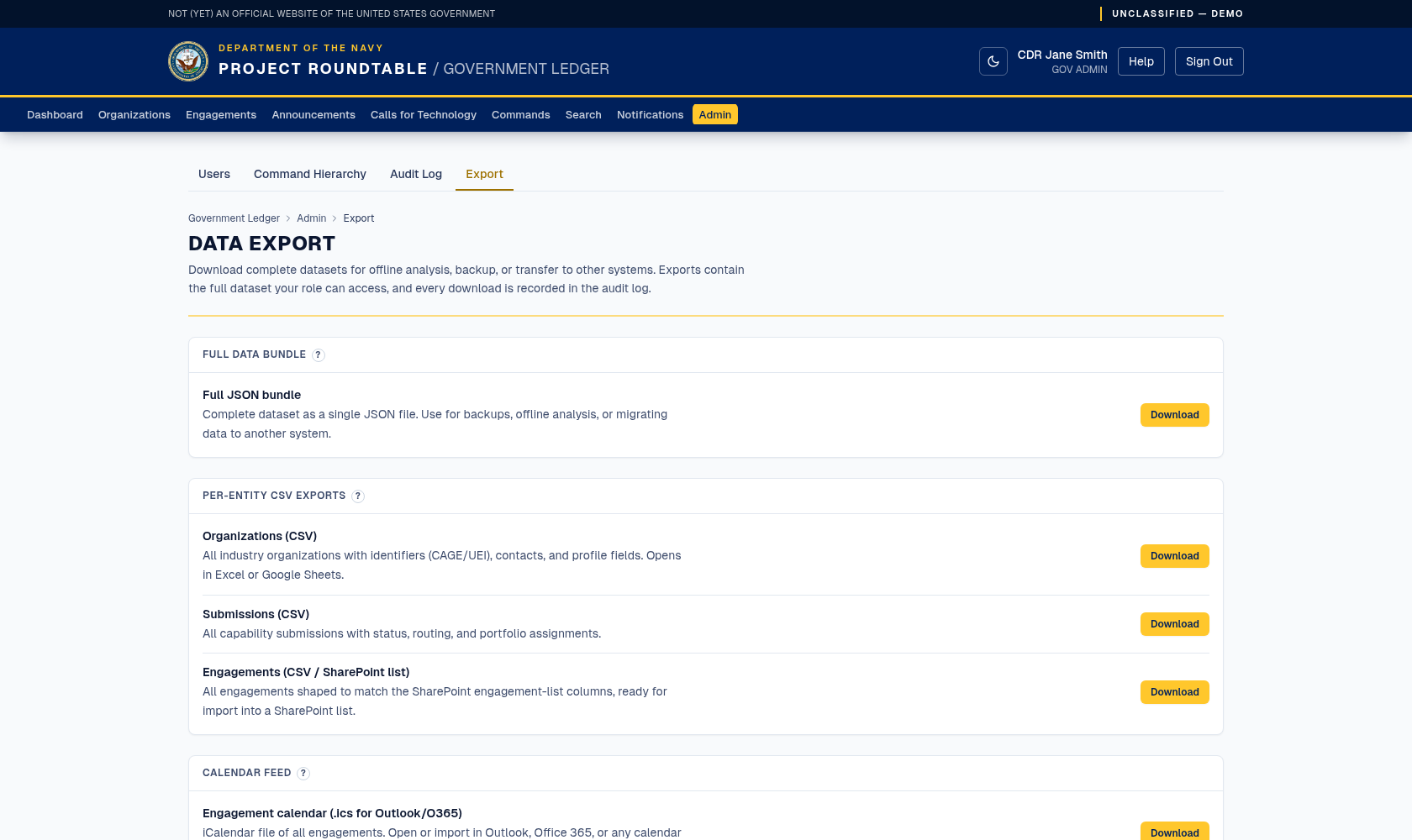
The Admin → Export page — every bulk download in one place.
The same downloads are also plain addresses you can open in your browser while signed in:
| What you want | Address to open | What you get |
|---|---|---|
| Organizations as a spreadsheet | /api/export/csv?entity=organizations | A CSV file of registered organizations. |
| Submissions as a spreadsheet | /api/export/csv?entity=submissions | A CSV file of submissions. |
| Engagements as a spreadsheet | /api/export/csv?entity=engagements | A CSV file of engagement records. |
| Everything | /api/export/all | A complete data bundle in JSON form, for analysis or handover. |
| The engagement calendar | /api/export/engagements.ics | A calendar file you can open or subscribe to in Outlook. |
CSV files open directly in Excel. The calendar file adds engagements to your calendar so planned interactions show up alongside your other commitments.
Rules to follow
An export takes FOUO working data outside the system's access controls. Handle it accordingly: keep it on approved government systems, do not email it outside the programme, do not post it anywhere shared, and delete your copy when you are finished with it. Every export is recorded in the audit log against your account.
Exports also contain information industry organizations provided for government use — never send an export, or an extract of one, back to industry.
If a download does not work
- Nothing downloads, or you get a "forbidden" response — your role does not allow exports. Only Program Admin and System Admin do.
- You are sent to the sign-in page — your session expired. Sign in and open the address again.
- The file looks empty — there may genuinely be no records of that kind yet. Check the corresponding page in the menu first.