Publishing announcements and Calls for Technology
Tell industry what the Navy needs, and post programme news
Two things are published to industry: Announcements (news) and Calls for Technology (requests for solutions on a specific topic). Announcements appear immediately on the public industry portal and notify industry users. Calls move through a lifecycle so you can prepare and schedule a release before making one public.
Who can publish
Publishing is limited to Command Leads, Program Admins, and System Admins. Read-only users and POCs can read both pages but see an explanation instead of a form. Anything you publish is public to every registered industry user, so check wording and dates before you post — treat it as a public release.
Opening a Call for Technology
Click Calls for Technology in the top menu. The page separates calls into Drafts, Pending release, Open, and Closed. Every government user can view all four sections, but drafts and pending calls are never shown to industry.
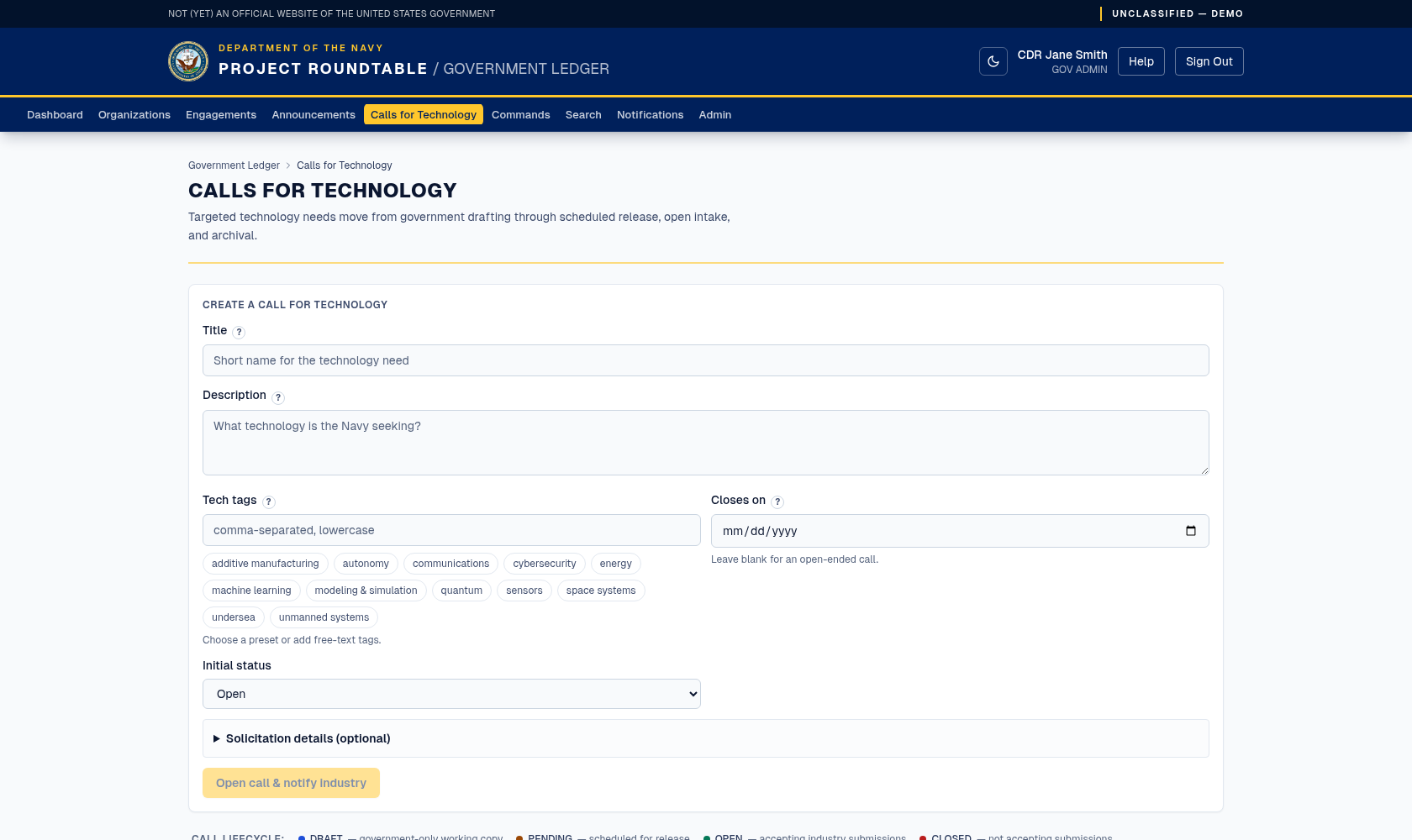
Opening a Call for Technology. Leave the closing date blank for an open-ended call; published calls are listed below the form and can be closed from there.
Find the Open a Call for Technology form.
Title (required, up to 200 characters) — name the need, not the programme: GPS-denied navigation for small undersea vehicles.
Description (required, up to 8,000 characters) — the problem you want solved, the constraints that matter, what a useful response contains, and how mature a solution needs to be. Vague calls get vague responses.
Tech tags (optional, up to 400 characters) — comma-separated lowercase keywords such as autonomy, undersea, navigation. Click a curated preset chip to add or remove a common tag; you can still type any free-text tag. These decide which industry organizations are notified, so include every relevant area.
Closes on (optional) — the last date responses are accepted. Leave it blank for an open-ended call that stays open until you close it manually.
Solicitation details (all optional) — fill these in when the call corresponds to a formal solicitation, so industry can cross-reference it: Notice ID, Solicitation type (with an "other" free-text option), Set-aside code, NAICS code and Product/service code (both searchable pickers over the official code lists — type a code or a word from its description), and a primary and alternate contact (name, email, phone).
Choose the initial status. Open publishes immediately, Draft saves a government-only working copy, and Pending release schedules the call for a future date and time.
An open call appears immediately on the industry portal, and matching industry users receive a notification. Draft and pending calls stay in their government-only sections. Scheduling requires a future Releases on date and time; scheduling alone does not notify industry. When a pending call reaches its release time, it becomes visible and behaves as open the next time the application queries it, without sending a notification.
Managing the call lifecycle
Draft and pending calls are editable in place. Use the Edit toggle on the call card to update its fields while it remains unreleased. The available actions are:
| Section | Actions |
|---|---|
| Drafts | Schedule with a future release date, or Release now. |
| Pending release | Release now or Back to draft. |
| Open | Close call to stop new responses. |
| Closed | Reopen call to accept responses again. |
Release now is the explicit publication action and notifies matching industry users. A pending call that reaches its scheduled release time becomes public through query-time release handling, but does not send a notification.
Closing and reopening
Each call has a button: Close call stops new responses; Reopen call accepts them again. Closing does not delete anything — existing responses stay attached and readable. Closed calls move to the closed list.
Close a call when the deadline has passed, when you have enough responses, or when the need has changed. Leaving stale calls open wastes industry effort.
Publishing an announcement
Click Announcements in the top menu, then use the form to publish.
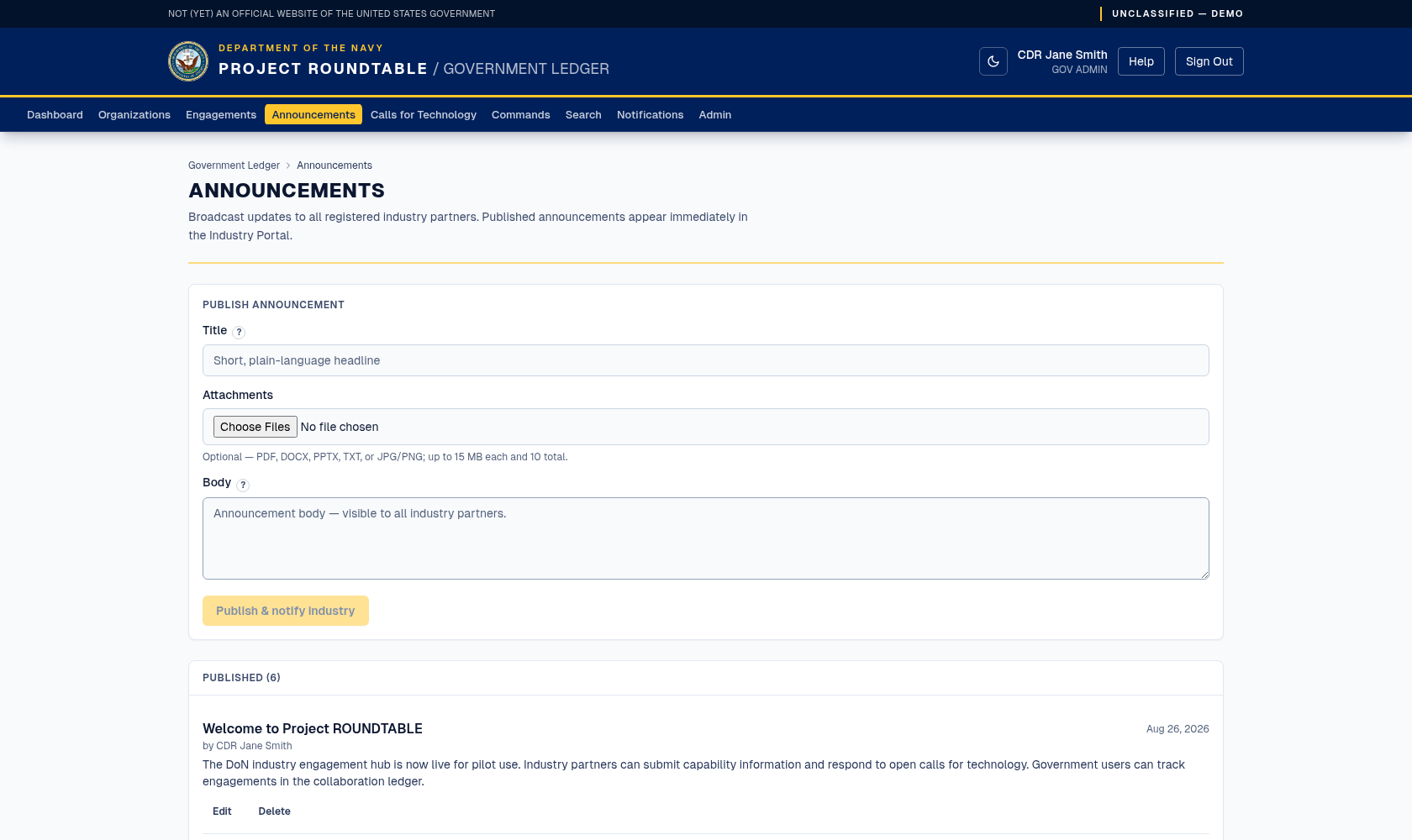
Publishing an announcement. It appears in the Industry Portal immediately and notifies registered partners.
Signed-in users can download announcement attachments. If an upload fails after the announcement is published, the form locks the title and body and shows Retry attachment upload. Fix or replace the pending files and submit again; the retry uploads against the same announcement instead of creating a duplicate.
Use announcements for: upcoming industry days and events, programme news, changes to how the pilot works, and reminders about what may and may not be submitted. Do not use them for anything targeted at a single company — that is a direct conversation, not a public post.
Which one should I use?
| You want to… | Use |
|---|---|
| Ask industry for solutions to a specific technical problem | A Call for Technology |
| Announce an event, a deadline, or a programme change | An Announcement |
| Ask one company for something | Neither — contact them directly and record it as an engagement. |