
Dashboard
Read the government home page and act on what it shows
The Dashboard is what you see when you sign in, and the first item in the top menu. It answers one question: what is going on right now?
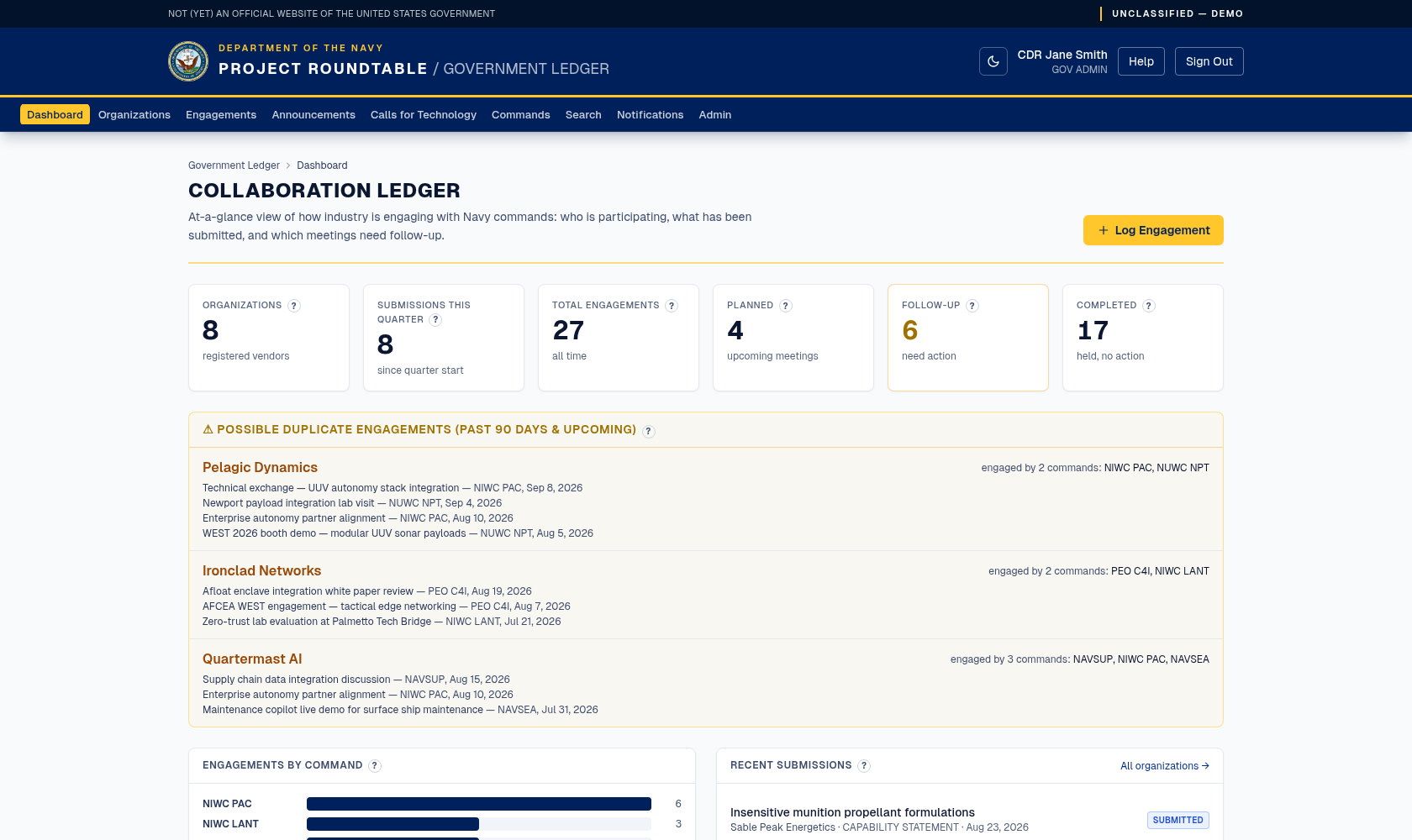
The government dashboard: count cards across the top, engagements by command, the newest submissions and engagements, and the possible-duplicate panel.
The Log Engagement button in the page heading takes you straight to the engagement form.
The counts at the top
| Card | What it counts |
|---|---|
| Organizations | Registered industry organizations. |
| Submissions this quarter | Submissions received in the current quarter — the simplest measure of industry activity. |
| Total engagements | All engagement records ever logged. |
| Planned | Engagements whose status is PLANNED. Usually upcoming meetings, but a record with a past date stays here until someone changes its status. |
| Follow-up | Engagements marked as needing a next step. Treat this as your action list. |
| Completed | Engagements that took place and are closed out. |
A high Follow-up number is the one to watch: it means commitments were made and not yet closed out.
Engagements by command
A breakdown of how many engagements each command has logged. Use it to spot commands that are very active and commands that are not recording anything — the second is more often a recording gap than an activity gap.
Recent submissions and recent engagements
The newest records of each kind, with links into the full record. Click a submission to open the organization that sent it; click an engagement to open its detail page.
Possible duplicate engagements
This panel lists organizations that more than one command engaged in the last 90 days or has scheduled ahead — its heading reads Possible duplicate engagements (past 90 days & upcoming). It is a coordination prompt, not an error: two commands meeting the same company can be perfectly legitimate.
When you see an entry:
What to do first, each week
- Work the Follow-up count down.
- Check possible duplicates and coordinate.
- Skim recent submissions for anything in your technology area.
- Check your notifications for matched submissions.