Search
Search across organizations, submissions, engagements, and calls
Click Search in the top menu. One box searches four kinds of record at once:
- Organizations — by name, description, and technology tags,
- Submissions — by title, summary, and technology tags,
- Engagements — by title, summary, and location,
- Calls for Technology — by title, description, and technology tags.
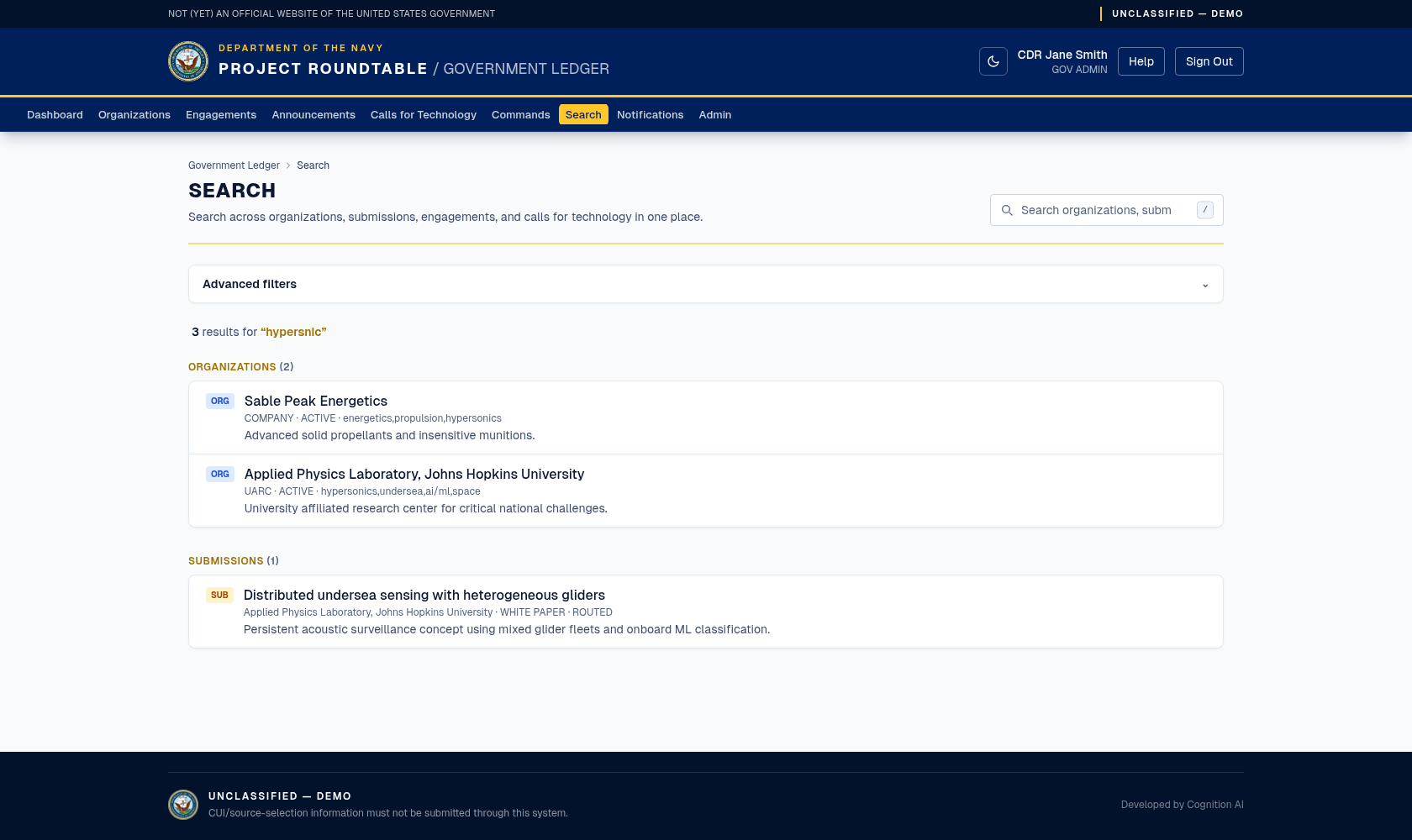
Search across organizations, submissions, engagements, and Calls for Technology from one box.
How to use it
Before you type anything, the page shows Start a search with suggestions. If nothing matches, it shows No matches found.
Advanced filters
The Advanced filters section is collapsed by default, so it does not change an ordinary search. Open it to filter by:
- entity type: organization, submission, engagement, or call;
- created date from and to;
- call status, engagement status, or submission status;
- technology tag text for entities that have tags (organizations, submissions, and calls).
Choose Relevance, Newest, or Oldest from the Sort select. Relevance is the default when you have a query. The toggle shows an active-filter count badge when filters are applied. Select Clear filters to remove them.
Filters are stored in the page URL, so you can share or bookmark a filtered search. The technology tag filter checks entities that have technology tags; it does not add tags to records or filter engagements, which do not have a tag field.
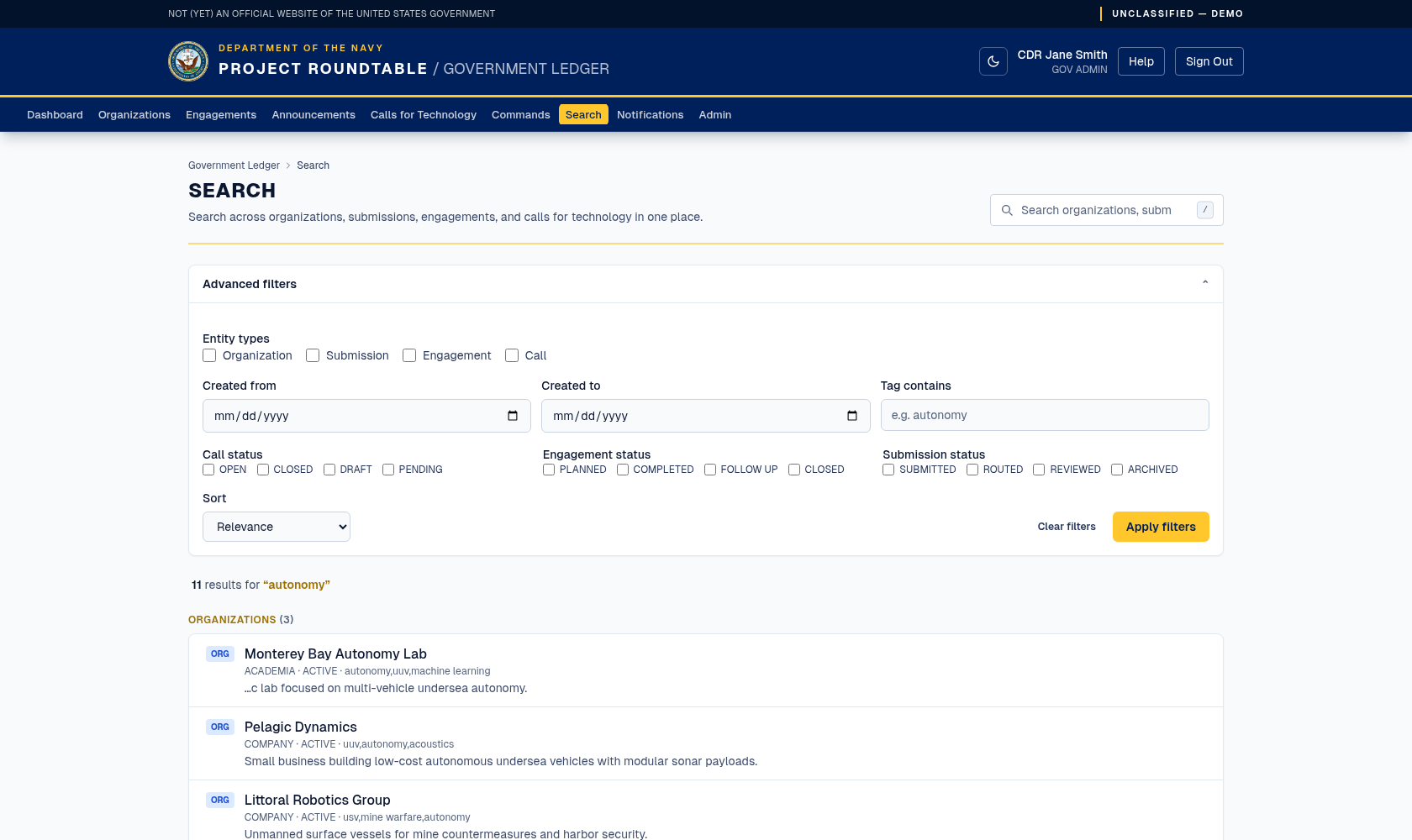
Advanced filters on the government search page.
Typos are forgiven
You do not have to spell things perfectly. If your words match nothing, the search automatically tries again allowing for misspellings, so autonmy still finds the autonomy records. This second attempt is skipped when you use any of the shortcuts below, so those searches stay exact.
Search shortcuts
The hint line that appears under your results lists all four of these. All of them are optional — plain words work fine.
| To do this | Type | Example |
|---|---|---|
| Match an exact wording | Wrap it in quotes | "sonar payload" |
| Match either word | Put OR between them | autonomy OR sonar |
| Leave something out | Put a minus in front of it | autonomy -sonar |
| Match the start of a word | End it with a star | auton* |
An exclamation mark works in place of the minus (autonomy !sonar) if you are used to that style, though the hint line does not mention it.
You do not need the star while typing: in a search with no shortcuts in it, the last word already matches words that start with it, so auton finds autonomy on its own.
Typing two or more plain words narrows the search: a record has to contain all of them. The exception is the misspelling retry above — if nothing contains all of them, the second attempt matches on closeness instead, so a result may be missing one of your words.
Getting better results
| If you… | Try |
|---|---|
| Get nothing back | Use fewer, broader words — autonomy rather than autonomous undersea navigation system. If you used any shortcut — quotes, OR, a minus, or a star — try removing it so misspellings are forgiven again. |
| Get too much back | Add a distinguishing word, exclude one with -word, or use the filters on the Organizations or Engagements pages instead. |
| Are looking for a technology area | Search the tag itself: ai/ml, cyber, undersea. |
| Are looking for a company | Type the start of one word from its name — Dynam finds Pelagic Dynamics, so you do not need the exact legal name, and a small misspelling is usually forgiven. |
| Are looking for a past meeting | Search a word from its title or its location. |
Search only ever returns records you are already allowed to see — it does not widen your access.